# Few Shot Prompting: What Three Well-Chosen Examples Teach That an Instruction Cannot
A worked walkthrough of one small email-sorting task: what examples add that a written rule cannot, which three to pick, how many are worth their cost, how they end up teaching the wrong pattern, and when to stop adding them.
> prompt-engineering · few-shot-prompting · prompt-testing · About 8 min · Nov 28
## Key points
1. Few-shot prompting means putting a few complete input-and-output pairs in the prompt so the model continues the pattern; zero-shot is none, one-shot is one, multishot is the same as few-shot, and none of them retrain the model.
2. Examples earn their place on one narrow job: placing a judgment rule at the point where a stronger surface cue, such as a familiar sender or a keyword like "invoice", would otherwise win.
3. Diagnose before you add examples: a wrong output shape is fixed by stating the format in the instruction, a debatable category is fixed by a worked example, missing information needs material, and multi-step reasoning is not taught by examples that show only final answers.
4. Pick examples from the cases the prompt actually failed, rewrite them so they are not the test cases themselves, and include one line of reasoning about why the obvious answer loses.
5. Three to five is a reasonable starting count; each extra example costs tokens on every call, competes with the real input for space, and can make the model overfit to the examples.
6. Everything in an example is part of the pattern: incidental nouns get copied into unrelated answers, a shared format becomes a rule, and unbalanced or poorly ordered examples bias labels, with one study finding that adding a single example could lower accuracy.
7. Stop adding examples when a rule can state the requirement, when the limit is missing information, or when the task is multi-step reasoning; with reasoning models, try zero-shot first.
---
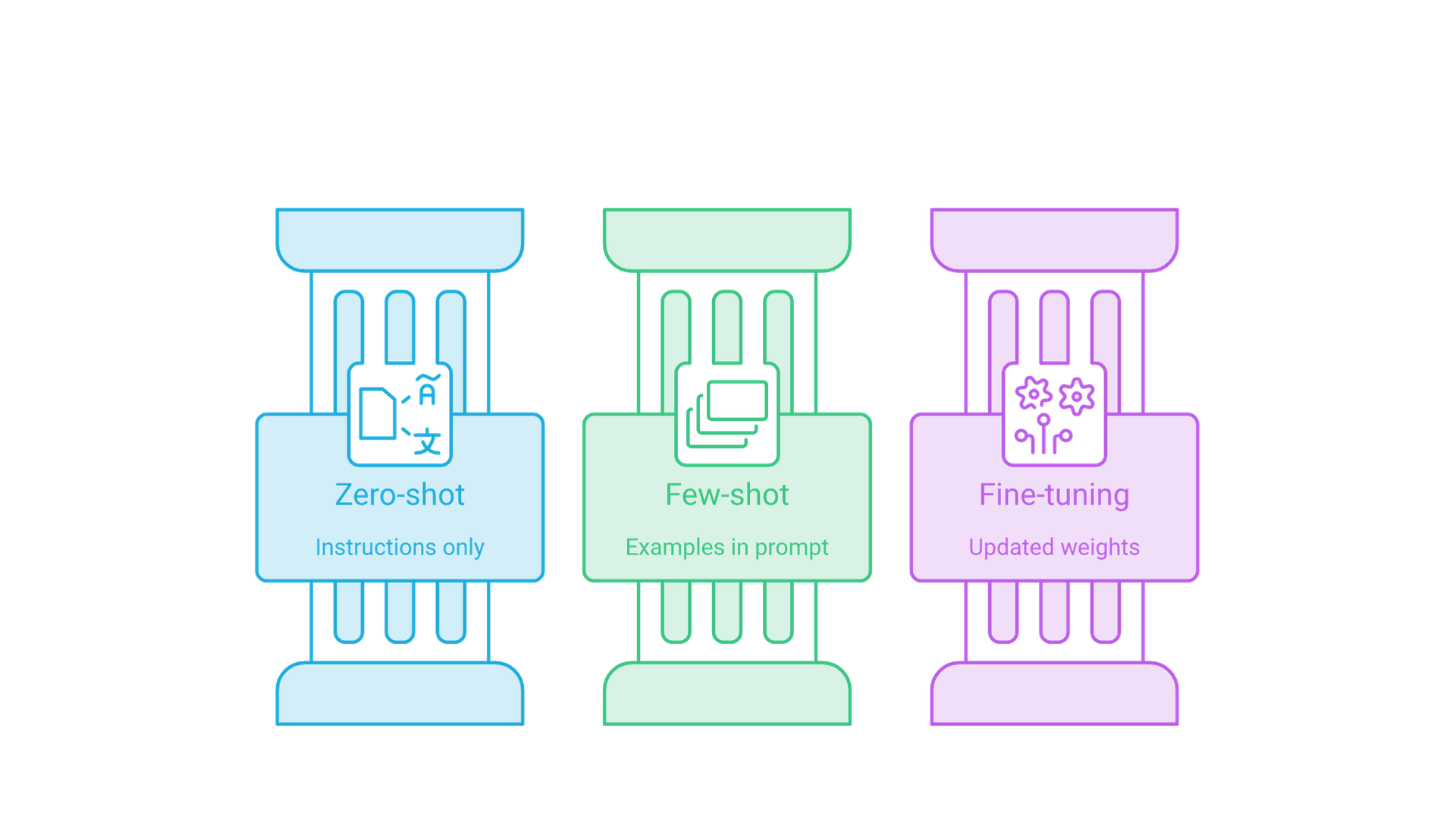
Few-shot prompting is the name for something you can do in a chat box in about ninety seconds: instead of describing the answer you want, you paste in a few complete input-and-output pairs from your own task and let the model continue the pattern. No examples is zero-shot, one example is one-shot, and two to five is few-shot, also called multishot.
Nothing is being trained in the sense that a model changes. The examples live in the prompt, and when the conversation is gone they are gone with it. That is what separates few-shot prompting from fine-tuning, where a model is retrained on hundreds or thousands of examples and its weights change. Few-shot prompting is the cheap version, available to anyone who can type.
What examples buy you is narrower than "better answers," and it is easiest to see by running one small task end to end.
Take sorting inbound email for a five-person design studio. (The studio is invented. The failures are the ones this kind of prompt reliably produces.) Every message gets one bucket, either `QUOTE`, `CLIENT`, `VENDOR` or `NOISE`, plus one line saying what to do next. Here is one week of messages, with the bucket each one belongs in:
1. "We're opening a second shop in autumn and need signage, menus and packaging. What would that cost?" — `QUOTE`
2. "The logo files in our shared folder still show the old colours." — `CLIENT`
3. "We worked with you on the brewery brand last spring. What would packaging design for the new range cost?" — `QUOTE`
4. "Invoice 4471 for the print run is attached, due on the 30th." — `VENDOR`
5. "Press release: another studio in town wins a regional design award." — `NOISE`
6. "We're an agency and think we could bring you three or four clients a year. Can we talk?" — `NOISE`
7. "Could you resend last month's invoice? I can't find it anywhere." — `CLIENT`
8. "I'm out of the office until the 14th and will reply then." — `NOISE`
The instruction-only version of the prompt is the obvious one: *sort each message into exactly one of QUOTE, CLIENT, VENDOR or NOISE, then write one sentence on what to do next.* Run all eight messages through it and you get five right. Message 3 comes back `CLIENT`, because the model noticed you had worked together before. Message 6 comes back `QUOTE`, because it contains the word "clients." Message 7 comes back `VENDOR`, because it contains the word "invoice." The shape wanders too: one answer arrives as a table, two open with a friendly "Sure, here's my read."
Those three misses are not random. Each is a message where two categories both look defensible, and the detail that settles it appears nowhere in the prompt. That tells you which fix applies:
```mermaid
flowchart LR
F["A case the prompt got wrong"] --> Q1{"Is the shape of the output wrong?"}
Q1 -->|"yes"| I["Write the format into the instruction"]
Q1 -->|"no"| Q2{"Is the category genuinely debatable here?"}
Q2 -->|"yes"| E["One worked example at that boundary"]
Q2 -->|"no"| Q3{"Does the model lack information?"}
Q3 -->|"yes"| M["Paste the missing material"]
Q3 -->|"no"| Q4{"Does the task need several steps of reasoning?"}
Q4 -->|"yes"| C["Examples of final answers won't teach the steps"]
Q4 -->|"no"| R["Re-check the scope of the instruction"]
```
Fix the shape with words first, because words are free and general. The rewritten instruction says the answer is one line, `BUCKET | next step`, with no greeting and no table. It also states the rule the buckets are built on. `VENDOR` is only for people who bill us. `NOISE` is only for messages that ask nothing of us. Between `CLIENT` and `QUOTE`, what decides is whether the work is new, needing a price, or already ours. The shape settles immediately, and messages 6 and 7 now come out right, because the rule names exactly the trap each one sets. Message 3 still comes back `CLIENT` in both runs. "We worked with you last spring" is a louder signal than a rule buried in a paragraph, and no amount of rewording that paragraph beat it.
This is the situation examples are for: a boundary you can state but can't make the model feel. Three examples, each aimed at a different boundary, and not one of them a repeat of an easy case:
```
Sort each message into exactly one of QUOTE, CLIENT, VENDOR, NOISE.
VENDOR is only for people who bill us. NOISE is only for messages that ask
nothing of us. Between CLIENT and QUOTE, what decides is whether the work
is new (needs a price) or already ours.
Answer in one line: BUCKET | next step. No greeting, no table.
The "Why" lines in the examples are for you; never include them in the answer.
Message: Hi — you designed our café's signage in 2024. We're opening a second
site; what would signage and menus for it cost?
Why: new work that needs a price, even though we already know the sender.
Answer: QUOTE | Estimate and reply with a range.
Message: Please send the March invoice again — our accounts team can't find it.
Why: someone we bill asking about their own invoice. VENDOR is people who bill us.
Answer: CLIENT | Forward the invoice.
Message: We're a studio in Leeds and would love to explore a partnership where
we introduce you to our clients.
Why: mentions clients but asks nothing of our work yet.
Answer: NOISE | None.
Message: {{message}}
```
All eight messages now come out right, twice, and the shape holds. What the examples added was the placement of the rule, at the point where it collides with a stronger surface cue. Each example is a worked case where the obvious answer loses, plus one line saying why. They are also rewrites of the failed messages rather than the messages themselves, because pasting in the exact case you are testing measures whether the model can copy, not whether it can judge.
Then the part most few-shot explanations leave out. On the next week's mail, a new message, "Do you have capacity for a small brochure in May, and roughly what would it cost?", came back `QUOTE | Estimate and reply with a range for signage and menus.` The label is right and the next step carries nouns from the café example. Everything in an example is part of the pattern, including the details you thought were incidental.
That failure comes in several ordinary shapes. If every example is short, your answers get short. If every example ends in the same bucket, that bucket starts winning borderline cases. If an example contradicts the instruction, expect the example to win. If your examples contain a real customer's name and order number, that data now travels in every request and every saved log, so redact it. The instability is also measurable. With the same four examples, the order they appear in has been enough to move some classification tasks from near-state-of-the-art to near-random, and a good order for one model does not carry over to the next [4]. Part of the reason is bias inside the model, towards labels that appear more often in the prompt and towards labels near the end of it. In one measurement, adding a single example made accuracy drop, because the model kept repeating that example's label [5]. Balance your buckets, avoid ending on a run of the same one, and re-test the set whenever you switch models.
How many, then? There is no number that is right in general, only a number you arrived at by testing. Anthropic's current guidance is three to five well-chosen examples [1]. Google's warns the other way, that too many examples can make the model overfit to them [2]. Both describe the same curve. The first two or three buy most of the gain, and each extra one costs tokens on every single call, adds latency, and competes for space with the message you actually want sorted. Start with two or three aimed at your worst failures, then add another only for a specific kind of input that is still coming back wrong.
When to stop adding them at all is a question people ask less often than they should, and the answer is sooner than they expect. If a rule can be stated in a sentence, the sentence is the better tool: it is shorter, and it generalizes to inputs no example covers. If the failure is missing information rather than unclear judgment, for instance the model got a priority wrong because it cannot see the client's contract value, no example supplies that; the material does. If the task needs several steps of reasoning and your examples show only the final answers, the pattern being copied is the answer rather than the reasoning, and few-shot prompting tends to stall on exactly those tasks [6]. If you are using a reasoning model that thinks before answering, OpenAI's guidance is to try zero-shot first and add examples only when you have a specific output requirement to pin down, since otherwise they may add tokens without adding accuracy [3]. And if covering the boundaries would take fifteen examples, the prompt is now longer than the work it describes, which is a sign the task should be split.
The test you run on your own prompt is short. Does the shape of the output stay put across two runs? Do the cases that used to be debatable now come out the way you would judge them? Do new inputs come back in their own words, rather than borrowing nouns and numbers from an example? When the third check starts failing, the examples are teaching something you did not put in them, and the fix is usually a smaller, tighter set rather than a bigger one.
Instructions say what you want. Examples show where the line falls when the words run out.
## Mind map
```mermaid
flowchart LR
A["Few-shot prompting"] --> B["Definition: a few input-output pairs in the prompt, no retraining"]
A --> C["What it adds beyond instructions: where a rule collides with a stronger cue"]
A --> D["Which examples: rewritten failures, one per boundary, with a why line"]
A --> E["How many: 3-5 to start, count set by testing, paid on every call"]
D --> F["Risk: everything is part of the pattern"]
F --> G["Copied nouns, shared length, label imbalance, order effects"]
A --> H["When to stop: rule is statable, info missing, multi-step task, reasoning model"]
```
## Glossary
- Few-shot prompting:在提示里放入几条完整的“输入—输出”示范,让模型照这个模式继续,而不是只靠文字描述要求;放 0 条叫 zero-shot,1 条叫 one-shot,几条就叫 few-shot 或 multishot。
- 边界案例(decision boundary):两个类别都说得通、必须靠一条判断规则才能定性的那类输入;例子真正起作用的地方就在这里,而不是模型本来就答对的简单案例上。
- 示例泄漏(pattern leakage):例子里的每个细节都会被当成模式的一部分,于是模型把例子中的名词、数字、长度或语气带到不相关的输入上。
- 多数标签偏差与近因偏差:模型倾向输出提示里出现得更多的标签,以及靠近提示末尾的标签,结果同一组例子换个顺序,准确率就会明显变化。
## Sources
1. [Anthropic: Claude prompting best practices — examples should be relevant, diverse and wrapped in tags, and "Include 3–5 examples for best results"](https://platform.claude.com/docs/en/build-with-claude/prompt-engineering/claude-prompting-best-practices)
2. [Google: Gemini prompt design strategies — zero-shot vs few-shot, overfitting to too many examples, and consistent formatting](https://ai.google.dev/gemini-api/docs/prompting-strategies)
3. [OpenAI: reasoning best practices — "Try zero shot first, then few shot if needed", and examples must align with the instructions](https://developers.openai.com/api/docs/guides/reasoning-best-practices)
4. [Lu et al., Fantastically Ordered Prompts and Where to Find Them — example order can swing accuracy from near state-of-the-art to near random, and does not transfer across models](https://arxiv.org/abs/2104.08786)
5. [Zhao et al., Calibrate Before Use — majority label bias, recency bias, and accuracy dropping from zero-shot to one-shot](https://arxiv.org/abs/2102.09690)
6. [Prompt Engineering Guide: Few-Shot Prompting — where standard few-shot prompting stops working on multi-step reasoning](https://www.promptingguide.ai/techniques/fewshot)
---
Original article: https://eulore.ai/articles/few-shot-prompting-964adbd5
> **Eulore** · Start small. Go deep.
>
> Eulore is an AI learning tool built around connected articles, each a 5–10 minute read. Ask questions as you go and help shape what comes next. That’s how this article was created.
>
> Start your own series → https://eulore.ai